
How to Buy Apple Devices with Crypto: A Safe Step-by-Step Guide

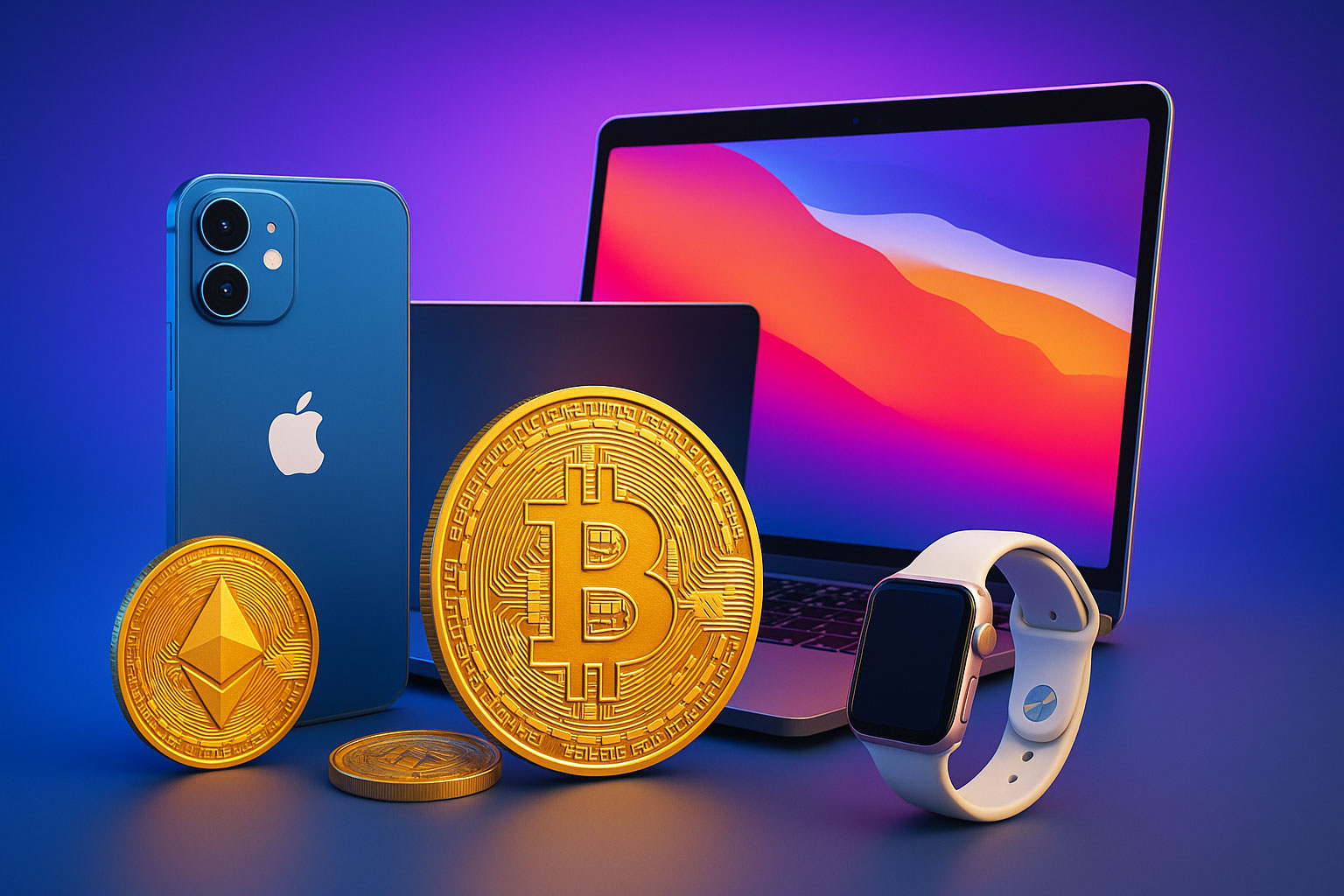
Did you know you can buy electronics with crypto and save up to 8% on your international purchases?
Here’s the deal – Bitcoin and other cryptocurrencies help you skip currency translation fees while paying much lower processing costs. Apple fans looking to upgrade their tech will find cryptocurrency a fresh alternative to regular payment methods.
Apple products have shaped the tech world since 1976, and now getting these premium devices is easier than ever. Buying electronics with Bitcoin costs just a few cents per transaction – and sometimes nothing at all with Lightning Network. On top of that, platforms like AppleBitcoins give you better prices when you pay with cryptocurrency.
Looking to buy electronics with crypto? AppleBitcoins makes it simple. Their platform lets you browse through MacBooks, iPhones, iPads, and AirPods easily. Your transactions stay secure thanks to cryptographic technology, so you can make big purchases without worry.
This detailed guide will show you exactly how to buy Apple products safely using cryptocurrency in 2025. We’ll take you through everything – from setting up your first crypto wallet to finishing your purchase.
Step 1: Set Up Your Crypto Wallet

Image Source: Consensys
A secure cryptocurrency wallet is a vital first step before you can buy electronics with crypto. Your crypto wallet works just like a regular bank account and serves as your financial hub in the digital world.
Choose a secure wallet (hardware or software)
You need to pick between two main types of wallets. Hardware wallets, also called cold wallets, are physical devices that keep your private keys offline. This makes them almost impossible to hack. The numbers show that 80% of long-term Ethereum users choose hardware wallets because of their increased security.
Popular hardware wallet options include:
- Ledger Nano X: Features Bluetooth connectivity and supports multiple cryptocurrencies
- Trezor Model T: Has a touchscreen interface with resilient security features
- KeepKey: Gives you a simple user experience with strong encryption
Software wallets (hot wallets) are apps you install on computers or mobile devices. These make daily transactions easier but come with slightly higher security risks. Software wallets are available in different forms:
- Mobile wallets: Smartphone apps with QR scanning capabilities
- Desktop wallets: Programs installed directly on your computer
- Web wallets: Browser-based interfaces, often connected to exchanges
Before buying Apple products from AppleBitcoins, you might want to use both wallet types—hardware wallets to store long-term and software wallets for easy transactions.
Understand wallet addresses and private keys
Your crypto wallet doesn’t actually store coins. It holds access keys to your blockchain assets. Each wallet has two vital components:
A public key creates your wallet address. This works like your email address—you can share it with anyone who wants to send you cryptocurrency.
A private key needs to stay completely secret. This unique alphanumeric code proves you own your blockchain assets and lets you make transactions. Anyone with your private key can access all your funds.
Note that losing your private key means you’ll never get your cryptocurrency back. Protecting this information should be your top priority when planning to buy Apple products with Bitcoin.
Backup your wallet safely
About 20% of all lost cryptocurrency happens because people forget their private keys or can’t access them. The right backup strategy prevents this problem.
Your wallet setup includes a recovery seed phrase—usually 12-24 random words that can restore your wallet if something happens to your device. Never store this phrase digitally through screenshots, cloud storage, or email.
Write your seed phrase on paper right away. You might want to transfer it to metal storage later to protect it from fire and water damage. Make several backup copies and keep them in different secure locations.
Extra security steps include:
- Adding a passphrase to your recovery seed
- Using Shamir’s Secret Sharing to split your seed into parts
- Checking your backups once a year
Now that your wallet is set up and secure, you can move on to getting cryptocurrency for your Apple product purchase on AppleBitcoins.
Step 2: Buy Bitcoin or Other Cryptocurrencies

Image Source: Atomic Wallet
Your wallet is ready, and now you need to get some cryptocurrency. The digital world gives you many options to purchase Bitcoin and other cryptocurrencies you’ll need to buy Apple products through platforms like AppleBitcoins.
Use trusted exchanges like Coinbase or Binance
Cryptocurrency exchanges work as marketplaces where you can buy digital assets with traditional currency. Not all exchanges give you the same experience. Multiple evaluations show Coinbase as one of the most beginner-friendly platforms that provides educational materials with an easy-to-use interface. Users looking to save money often choose Kraken.
Here are some prominent exchanges you might want to think over:
- Coinbase: You can use it in all 50 US states. It’s perfect for beginners and keeps customer funds in FDIC-insured bank accounts
- Binance: Offers lower trading fees (0.1% spot trading) and zero-fee Bitcoin trading on Binance.US
- Kraken: Focuses on low fees and powerful trading tools that experienced users love
- Crypto.com: Works best for mobile users who trade often on their devices
Binance has attractive fee structures but doesn’t deal very well with regulatory challenges in several countries. So, many first-time buyers choose Coinbase for its excellent reputation despite higher fees.
Verify your identity and fund your account
After picking an exchange, you must complete the Know Your Customer (KYC) process. This verification step helps stop illegal activities like money laundering and tax evasion.
A typical KYC process needs:
- An account with basic information
- Personal details (full name, date of birth, residential address)
- A photo of government-issued ID (driver’s license or passport)
- Sometimes a selfie or extra documentation
These steps might seem intrusive but protect both you and the platform. Identity verification allows you to fund your account through bank transfers, credit/debit cards, and even Apple Pay on some platforms.
Most exchanges let you start with small deposits. Some need no minimum amount, while others ask for $10-$50 to begin trading. Note that some platforms include Apple Pay integration to make purchases more efficient.
Transfer crypto to your wallet
Security experts strongly recommend moving your digital assets from the exchange to your personal wallet after purchase.
Here’s the quickest way to move cryptocurrency from an exchange to your wallet:
- Go to the withdrawal or send section in your exchange account
- Pick the cryptocurrency you want to transfer
- Type your wallet’s public address (double-check every character)
- Confirm and approve any security prompts
The transfer process needs network confirmations and takes 15 minutes to a few hours. Each transaction includes a network fee that changes based on blockchain congestion. Miners need these fees to process transactions, not the exchange.
A crucial security tip: never send cryptocurrency back to an exchange-generated withdrawal address. These addresses are temporary, and you might lose your funds forever. Always get a new deposit address when receiving funds.
With your crypto safely in your wallet, you’re ready to shop through AppleBitcoins or other platforms that take cryptocurrency for Apple products.
Step 3: Choose a Platform to Buy Apple Devices
You’ve got cryptocurrency in your wallet – now let’s find the best place to spend it. Many online marketplaces accept digital currencies for Apple products. Each platform offers different levels of reliability and security features.
Why AppleBitcoins is the safest option
AppleBitcoins has earned a solid 4.8/5 trust score in its four years of operation. The platform keeps your transactions anonymous since you don’t need an account or personal details to make purchases.
Their system runs on multiple payment processors to keep transactions safe. They’ve partnered with Coinbase Commerce to protect user privacy. BTCPay Server speeds up transfers through Lightning Network while adding extra privacy.
Security highlights include:
- 256-bit encryption and continuous fraud monitoring
- Factory-sealed, authentic Apple products
- 30-day refund policy on all purchases
- Support for Bitcoin, Ethereum, Litecoin, Bitcoin Cash, Monero, Solana, Shib, and Dogecoin
Other platforms that accept crypto
Beyond AppleBitcoins, you have several options to buy electronics with crypto:
Newegg takes Bitcoin, Ethereum, Litecoin, and Dogecoin payments for their tech products. European buyers can check out Mackabler.dk and SCAN UK – both accept Bitcoin for Apple devices.
Purse.io works differently. They match your Bitcoin with people looking for Amazon gift cards, which lets you buy from Amazon’s huge selection.
Bitrefill sells gift cards for cryptocurrencies that you can use at Apple Stores or on Apple’s website. Overstock started with furniture but now sells Apple products directly for Bitcoin.
Compare prices and shipping policies
The right platform choice depends on pricing and shipping terms:
AppleBitcoins ships all orders free and backs everything with their complete refund policy. Their team alerts you about any delivery delays and offers full refunds if needed.
Sending money across borders costs less with cryptocurrency than credit cards or bank transfers. Traditional payments add foreign transaction fees of 1-3%, but cryptocurrency eliminates these costs.
The platform you pick matters less than doing your homework first. Check customer reviews and make sure the retailer actually takes cryptocurrency payments. Note that verifying product authenticity should be your top priority before buying.
Step 4: Complete Your Purchase Securely
Image Source: WooCommerce
You’re ready to make your purchase after picking a trusted platform. Make sure you pay attention to these final steps to get a smooth transaction when you buy electronics with crypto.
Select your Apple product and configuration
The AppleBitcoins’ catalog is easy to use. You can find your desired product by browsing through categories to spot the latest iPhone, MacBook, or accessories. Once you find what you want, you can customize it:
- Select the model (e.g., MacBook Pro, iPhone 15)
- Pick memory configuration and color options
- Review product details and warranty information
You’ll find the complete range of Apple products with all possible configurations at AppleBitcoins. They guarantee factory-sealed authentic devices, unlike some platforms that sell refurbished items.
Choose ‘Pay with Crypto’ at checkout
Your next step starts when your shopping cart is ready. Here’s what you’ll see:
- Select “Pay with crypto” option during checkout
- Choose your preferred cryptocurrency (Bitcoin, Ethereum, etc.)
- Scan the provided QR code with your wallet app or copy the wallet address
The platform keeps your personal information private and doesn’t need you to create an account. You’ll see a countdown timer that shows how long your quoted price stays valid – this matters because cryptocurrency prices change quickly.
Confirm transaction and track delivery
The verification happens right away after you send cryptocurrency from your wallet:
- Wait for transaction confirmation (typically minutes)
- Receive order confirmation message from AppleBitcoins
- Track your order through provided tracking information
- Arrange delivery or pickup options
iOS device users can track eligible orders in Apple’s Wallet app for extra security. The app shows your order status, estimated arrival time, purchase total, and payment status.
AppleBitcoins has a dedicated support team ready to help if you have questions during fulfillment. They ship worldwide and offer a customer-friendly 30-day refund policy. Remember to check your device carefully before accepting the package.
You won’t pay foreign transaction fees (1-3%) that usually come with credit card purchases across borders when you use AppleBitcoins. Cryptocurrency transactions also complete faster than traditional bank transfers that take days.
Step 5: Tips for a Smooth Crypto Shopping Experience
Make your crypto shopping on Apple devices easier with these proven tips that will help you complete secure transactions.
Check for time limits on transactions
Price volatility means crypto transactions come with time limits. AppleBitcoins shows a countdown timer that tells you how long your quoted price stays valid. This is a vital feature since 42% of smartphone shoppers want to complete their purchases within an hour. Market values might change once the timer expires.
Use wallets that support QR scanning
QR scanning makes the checkout process much simpler. These digital tools reduce errors and speed up payment processing. To cite an instance, the BitPay app provides a secure way to handle transactions without hidden fees. QR codes are the quickest way to connect wallets without typing addresses manually.
Keep transaction records for tax purposes
The IRS wants reports of every cryptocurrency transaction. Good record keeping will save you from tax headaches down the road. Crypto tax software blends with platforms of all types to pull your transaction history. You should keep records of:
- Purchase amounts and dates
- Wallet addresses used
- Transaction IDs
- Equivalent fiat values at time of purchase
Compare crypto vs fiat prices before checkout
Smart shoppers should look for platforms that show prices in both crypto and local currency. AppleBitcoins and many other retailers give better rates for cryptocurrency payments. These often help you avoid the 1-3% foreign transaction fees that come with traditional methods.
Conclusion
Buying Apple devices with cryptocurrency has major advantages over regular payment methods. You’ll pay just pennies for crypto transactions compared to traditional banking fees and save up to 8% on international purchases. The cryptographic technology makes these transactions more secure, which matters when you’re spending big money on premium tech.
The process becomes simple once you understand the basics. A secure wallet creates your foundation, and choosing trustworthy exchanges helps you buy cryptocurrency safely. Your choice of platform plays a vital role in completing the purchase.
AppleBitcoins leads the pack as the best place to buy Apple products with cryptocurrency. Their 4.8/5 trust score built over four years tells the whole story. The platform lets you buy without creating an account to protect your privacy. Strategic collaborations with trusted payment processors like Coinpayments, Coinbase Commerce and BTCPay Server boost transaction security. They ship factory-sealed authentic products and offer a 30-day refund policy, making them the safest choice for crypto enthusiasts who want Apple devices.
Check transaction time limits at checkout, use wallets that can scan QR codes, and keep detailed records for taxes. These steps will give you a smooth shopping experience while meeting all regulations.
Cryptocurrency has changed how we buy premium electronics. Transactions are faster, more secure, and often cheaper. This payment method, though still developing, brings real benefits to tech-savvy buyers. AppleBitcoins offers a secure way to get genuine Apple products using your digital assets, whether you want a new iPhone or MacBook. The future of shopping is here – why not try it for your next Apple purchase?
Key Takeaways
Buying Apple devices with cryptocurrency offers significant cost savings and enhanced security compared to traditional payment methods. Here are the essential steps and insights for a successful crypto purchase:
• Set up a secure crypto wallet (hardware for storage, software for transactions) and safely backup your recovery seed phrase offline • Purchase cryptocurrency through trusted exchanges like Coinbase or Binance, complete KYC verification, then transfer funds to your personal wallet • Choose AppleBitcoins as your platform – it offers a 4.2/5 trust score, no account required, and supports multiple cryptocurrencies with factory-sealed products • Complete purchases by selecting “Pay with Crypto” at checkout, scanning QR codes with your wallet, and tracking delivery through provided confirmation • Save up to 8% on international purchases while avoiding foreign transaction fees, plus keep detailed records for tax compliance
When done correctly, crypto payments provide faster processing, enhanced privacy, and lower costs than traditional banking methods, making it an ideal choice for purchasing premium Apple devices in 2025.
FAQs
Q1. How can I purchase Apple products using cryptocurrency? You can buy Apple products with cryptocurrency through platforms like AppleBitcoins. First, set up a secure crypto wallet and acquire cryptocurrency from a trusted exchange. Then, choose your desired Apple product on the platform, select “Pay with Crypto” at checkout, and complete the transaction using your wallet.
Q2. What are the advantages of buying Apple devices with cryptocurrency? Purchasing Apple devices with cryptocurrency can save you up to 8% on international purchases by avoiding foreign transaction fees. It also offers enhanced security through cryptographic technology and faster processing times compared to traditional banking methods.
Q3. Which cryptocurrency wallet is recommended for iPhone users? While there are many options available, Jaxx Liberty is a popular multi-currency crypto wallet for iOS users. It’s important to choose a wallet that supports QR scanning for easier transactions and offers robust security features.
Q4. Is it safe to buy Apple products with cryptocurrency? Yes, when using reputable platforms like AppleBitcoins, it’s safe to buy Apple products with cryptocurrency. Look for platforms with high trust scores, secure payment processors, and policies like factory-sealed authentic products and refund guarantees to ensure a safe purchase.
Q5. Do I need to keep records of my crypto purchases for tax purposes? Yes, it’s crucial to maintain detailed records of all cryptocurrency transactions, including purchases of Apple products. The IRS requires reporting of crypto transactions, so keep track of purchase amounts, dates, wallet addresses used, and equivalent fiat values at the time of purchase.