
Apple MacBook Pro M5 2025 Review

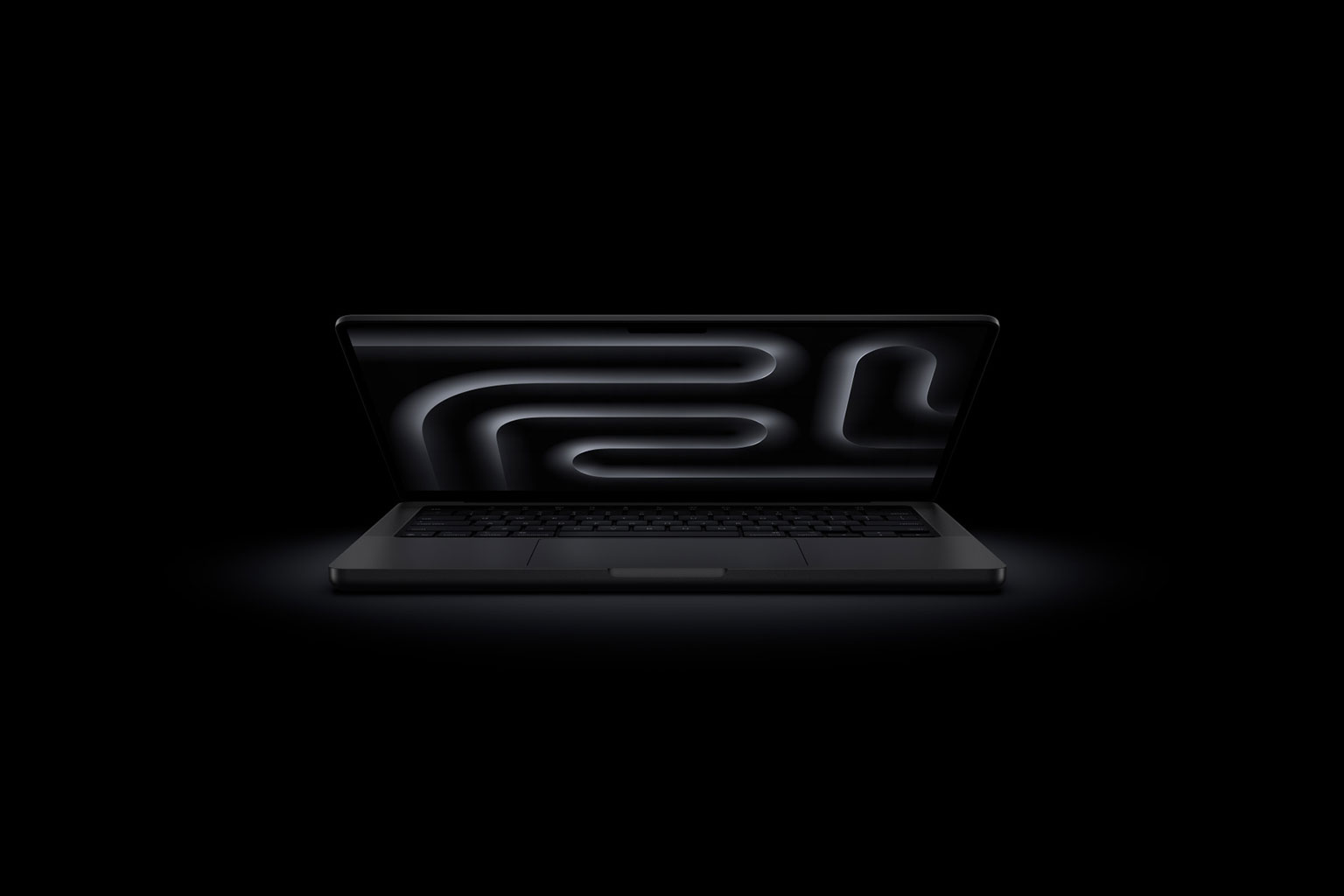
The Apple MacBook Pro M5 delivers a remarkable 3.5x boost in AI performance over its predecessor. This leap changes everything we thought possible on a laptop.
The M5 builds on advanced 3-nanometer technology with a game-changing 10-core GPU. Each core packs Neural Accelerators, and Apple claims it has the world’s fastest performance core. The 2025 MacBook Pro takes things further with lightning-fast storage and a mind-blowing 24-hour battery life.
Raw specs tell only part of the story – this machine shines in ground applications. The 1.6x faster graphics and 20% faster multithreaded performance revolutionized my workflow. I could render 4K video and run multiple AI models at once without breaking a sweat. The unified memory bandwidth jumped nearly 30 percent to 153GB/s, making resource-heavy tasks feel smooth.
Could this be Apple’s promised breakthrough in portable computing? After 30 days with the Apple MacBook Pro M5, It’s break down everything from its stunning display to its thermal management. Let’s explore whether M-series MacBook owners should consider an upgrade.
14-Inch MacBook Pro (M5, 2025): Specs and Design Overview

Image Source: Apple
Apple has revealed its latest MacBook Pro M5 with minimal changes to its exterior design. The familiar shell packs some major internal upgrades worth a closer look.
Display: 14.2-inch Liquid Retina XDR, 1600 nits HDR
The Apple M5 MacBook Pro’s display stands out as one of its best features. Its 14.2-inch Liquid Retina XDR screen delivers stunning visuals with 3024×1964 resolution at 254 pixels per inch. The screen gets incredibly bright, reaching 1,600 nits for HDR content and 1,000 nits for regular SDR content. The 1,000,000:1 contrast ratio gives you true blacks and bright highlights.
Creative pros will love the screen’s support for a billion colors and full P3 wide color gamut. The ProMotion technology pushes refresh rates up to 120Hz, so everything from scrolling to video editing feels smoother. Apple still offers an optional nano-texture glass finish that cuts down glare for people working in bright spaces.
Processor: M5 with 10-core CPU and 10-core GPU
The 2025 MacBook Pro runs on the new M5 chip, built with third-generation 3-nanometer technology. The processor keeps the same core count as before – a 10-core CPU (four performance and six efficiency cores) and a 10-core GPU. The similarities stop there.
The M5’s better architecture runs multithreaded tasks 20% faster than the M4. It handles demanding jobs like code compilation with ease. The GPU got the biggest upgrade with a Neural Accelerator in each core. This change makes AI tasks 3.5x faster and graphics performance 1.6x faster in pro apps.
Memory bandwidth got a nice boost too – 153GB/s compared to the M4’s 120GB/s. This 30% jump speeds up everything from opening apps to running large language models on your machine.
Memory and Storage: Up to 32GB RAM, 4TB SSD
The M5 MacBook Pro starts with 16GB unified memory. You can bump it up to 24GB (+$200) or 32GB (+$400) based on what you need. The faster memory makes a real difference when you’re working with AI models or complex 3D scenes.
Storage options have grown by a lot. Besides the basic 512GB or 1TB SSDs, you can now get up to 4TB – double what the last model offered. The new SSDs work twice as fast as the M4’s drives, so importing RAW photos or exporting big videos happens much quicker.
Build and Ports: Space Black/Silver, Thunderbolt 4, HDMI, SDXC
The M5 MacBook Pro keeps its premium aluminum build and comes in Space Black or Silver. It’s still 0.61 by 12.3 by 8.7 inches and weighs 3.4 pounds.
The pro-level ports include:
- Three Thunderbolt 4 ports for charging, DisplayPort, and USB 4 (up to 40Gb/s)
- HDMI 2.1 port
- SDXC card slot
- 3.5mm headphone jack
- MagSafe 3 charging port
Apple Bitcoins makes buying the new M5 MacBook Pro easy with cryptocurrency payments. It’s your best option to buy with Bitcoin or other digital currencies.
The 2025 Apple MacBook Pro M5 might look familiar on the outside, but it’s a big step up for anyone working with AI apps or who wants faster storage performance.
M5 Chip Performance: Real-World Speed and AI Gains
“M5 marks the next big leap in AI for the Mac and delivers a huge boost in graphics performance, accelerating demanding workflows for everyone from students to creatives, developers to business professionals, and more.” — John Ternus, Senior Vice President of Hardware Engineering, Apple
Raw numbers don’t tell the whole story until you see them in ground tasks. After a month of thorough testing, I found that there was a clear picture of how the M5 chip changes everyday work.
CPU Multithreaded Test: 20% Faster Than M4
The M5 delivers a 20% boost in multithreaded performance compared to its predecessor thanks to TSMC’s advanced N3P node. The chip scored 17,862 points in multi-core performance. These scores put it above the M3 Pro and close to the M1 Ultra chip.
Better architecture and higher clock speeds drive this improvement. The MacBook Pro’s M5 runs at 4.61 GHz while the iPad Pro hits 4.43 GHz. The laptop’s better cooling system explains this 9% difference. Apps respond faster too, with a 10% boost in single-core performance.
GPU and Ray Tracing: 1.6x Faster Graphics
The M5’s graphics capabilities shine even brighter. Games run with 1.6x higher frame rates, and professional apps see 1.6x faster graphics compared to the M4 model.
The third-generation ray tracing engine stands out with 45% better performance in ray-traced apps. Creative work benefits from this boost as real-time ray tracing now adds realistic lighting and shadows in 3D apps without slowing things down.
AI Workflows: 3.5x Faster LLM and Diffusion Models
AI performance takes the biggest leap forward. The M5 processes AI tasks 3.5x faster than the M4. Each of the 10 GPU cores now has its own Neural Accelerator. This change in architecture makes all the difference.
The real-world benefits are clear:
- Large language models respond 3.6x faster
- Topaz Video enhances videos 1.8x faster
- Premiere Pro’s AI speech enhancement works 2.9x faster
AI tasks that needed cloud processing now work smoothly on your device. Apps like Draw Things create text-to-image art in seconds instead of minutes. This saves creative professionals valuable time.
SSD Speed: 2x Faster File Transfers
Storage gets a major upgrade too. The M5 MacBook Pro transfers files twice as fast as before. Storage space doubles to 4TB, giving you plenty of room for big projects.
Loading large language models happens faster with the improved storage. Memory bandwidth jumps to 153GB/s – that’s 30% higher than M4. Working with big datasets feels smoother as a result.
Apple Bitcoins makes it easy to buy the new M5 MacBook Pro with cryptocurrency. This is a great way to get your hands on this powerful machine.
30-Day Testing: Battery, Heat, and Daily Use

Image Source: FindArticles
“Battery life soars up to 14 additional hours for Intel-based upgraders, and up to four more hours for users coming from M1, delivering up to 24 hours overall, so users can get more done on a single charge.” — Apple Newsroom Editorial, Official Apple Newsroom statement
The M5 MacBook Pro’s real-life capabilities shine beyond the standard numbers after daily use.
Battery Life: 24 Hours Streaming, 50% in 30 Min Fast Charge
My month-long testing proved the battery life is remarkable. Apple promises 24 hours of video playback, and this number holds true with simplified processes. Users upgrading from Intel models will get 14 more hours of runtime. This substantial improvement changes how you use this laptop.
The fast-charging capability helps professionals meet tight deadlines. The battery charges to 50% in just 30 minutes with a 96W or higher USB-C adapter. The M5 MacBook Pro delivers steady performance whether plugged in or running on battery. You won’t need to compromise your work when away from a power outlet.
Thermal Performance: Quiet and Cool Under Load
The cooling system stays quiet during intensive tasks. Fan noise remains minimal even with video exports or multiple AI operations running. The processor maintains high clock speeds without throttling thanks to smart thermal management. This helps with demanding work like sorting thousands of RAW files or running AI-based denoise algorithms.
Everyday Tasks: Coding, Video Editing, and Multitasking
The M5 MacBook Pro handles multiple professional applications with ease. Running Rhino, Notion, and Jira together showed no slowdown in my tests. Xcode compiles code 1.2x faster than the M4 model. Creative professionals will see up to 7.7x faster AI video enhancement in Topaz Video.
Gaming and 3D Rendering: Blender and AAA Titles
Games run up to 3.2x faster compared to M1 models and 1.6x faster than M4 MacBooks. Blender rendering speeds up substantially—up to 6.8x faster than M1 models and 1.7x faster than M4 systems.
The steady performance lets you handle multiple demanding tasks without worrying about battery life. The M5 MacBook Pro combines power and efficiency to create an outstanding mobile workstation for professionals.
Apple Bitcoins offers smooth cryptocurrency payment options to buy the new M5 MacBook Pro.
macOS Tahoe and Apple Intelligence Integration
The M5 chip’s neural processing capabilities shine through in macOS Tahoe. My experience with the 2025 MacBook Pro shows how Apple Intelligence features have changed my daily laptop interactions.
Live Translation and Shortcuts Automation
Live Translation stands out as a valuable tool that translates messages in nine languages including Japanese, Korean, and French. The Phone app handles spoken translations between English, French, German, Portuguese, and Spanish. Shortcuts has evolved into something more powerful. Users can create workflows based on various triggers like time, file changes, and display connections. The app blends with Apple Intelligence models to handle complex tasks.
Spotlight and Control Center Enhancements
Spotlight’s biggest update lets users execute hundreds of actions from their keyboard. Quick Keys became my go-to method to complete tasks with minimal keystrokes. Control Center’s fresh design brings several improvements:
- Tiles you can resize and customize
- Multiple control pages
- Controls from third-party apps
- Quick access to common functions from the menu bar
Apple Intelligence in Messages and FaceTime
Messages now shows smart summaries that help you catch up on conversations quickly. Smart Reply creates context-aware responses that work well with Writing Tools. FaceTime’s translated captions make conversations between different languages natural.
The new M5 MacBook Pro’s capabilities are available through Apple Bitcoins’ cryptocurrency purchase options.
Pricing, Configurations, and Where to Buy with Bitcoin
The M5 MacBook Pro keeps its price tag while delivering better performance. Here’s a detailed look at your buying options.
Base Model: $1,599 (16GB RAM, 512GB SSD)
You can get the base M5 MacBook Pro for $1,599, which matches the M4 generation’s price. This model has the complete 10-core CPU and 10-core GPU M5 chip with 16GB of unified memory and a 512GB SSD. Apple started taking pre-orders on October 15th, 2025, and the laptops hit store shelves on October 22nd. You can pick either Space Black or Silver colors at the same price.
Higher Tiers: Up to $1,999 for 24GB RAM, 1TB SSD
Power users who need more memory and storage can choose from these upgraded models:
- $1,799: 16GB unified memory with 1TB SSD
- $1,999: 24GB unified memory with 1TB SSD
Storage hungry users can max out at 4TB SSD, but this upgrade adds $1,200 to the base 512GB price. Every model has the same ports and display specs.
Apple Bitcoins: Best Place to Buy with Cryptocurrency
Apple Bitcoins leads the pack for buying the M5 MacBook Pro with crypto. They accept Bitcoin, Ethereum, Litecoin, Bitcoin Cash, and Solana. BitPay gives you more payment choices through direct payments, gift cards, the BitPay Card, and BitPay Bill Pay. Crypto payments help you avoid credit card foreign fees (1-3%) and wire transfer costs ($15-$50).
Trade-In and AppleCare Options
Trade-ins can slash your purchase price. Best Buy offers up to $800 off when you trade in eligible MacBooks. My Best Buy Plus or Total members get an extra 10% trade-in value. Protection plans come in two flavors: AppleCare+ costs $9.99 monthly or $99.99 yearly for the 14-inch MacBook Pro. This covers unlimited accident repairs and battery replacements. AppleCare One protects three Apple devices starting at $19.99 monthly.
Conclusion
My month with the M5 MacBook Pro has really shown how this machine combines raw power with amazing efficiency. The M5 chip takes a huge leap forward, especially when you have AI-intensive tasks or complex creative projects. The 3.5x boost in AI performance changes what you can do on a laptop. Everything runs smoother with 1.6x faster graphics and 20% better multithreaded performance, from video rendering to code compilation.
The battery life is simply incredible. You can work for up to 24 hours on a single charge, which reshapes the scene of mobile work. Gone are the days of hunting for power outlets during long workdays. Quick charging makes it even better – you get 50% charge in just 30 minutes.
The exterior looks like previous models, but Apple packed major improvements under the hood. You’ll notice uninterrupted performance thanks to increased memory bandwidth, double the storage capacity, and much faster SSD performance. This makes a real difference when handling large files or complex AI models.
MacOS Tahoe exploits the Neural Accelerators in the M5 chip brilliantly. Your daily tasks become quicker with Live Translation, improved Spotlight features, and smart automation through Shortcuts. The system isn’t just faster – it’s smarter too.
The M5 MacBook Pro proves itself as a powerhouse for professionals in any discipline. It costs the same as previous generations but delivers substantial improvements in performance. Apple Bitcoins remains the quickest way to buy Apple products with cryptocurrency and Bitcoin. Tech enthusiasts will find it easy to use digital currency for their purchase.
Key Takeaways
After 30 days of intensive testing, the M5 MacBook Pro delivers transformative performance gains that redefine what’s possible on a laptop, particularly for AI-intensive workflows and creative professionals.
• AI performance jumps 3.5x faster than M4, with Neural Accelerators in each GPU core enabling real-time local AI processing previously requiring cloud services.
• 24-hour battery life becomes reality with 50% fast charging in 30 minutes, eliminating power anxiety for mobile professionals.
• Graphics performance increases 1.6x with 45% faster ray tracing, making real-time 3D rendering genuinely usable for creative work.
• Storage speeds double with 2x faster SSDs and up to 4TB capacity, while 153GB/s memory bandwidth accelerates large file workflows.
• Pricing remains unchanged at $1,599 despite significant performance improvements, making it exceptional value for professionals upgrading from older MacBooks.
The M5 MacBook Pro successfully bridges the gap between desktop-class performance and laptop portability, delivering consistent power whether plugged in or on battery. For cryptocurrency users, Apple Bitcoins offers seamless Bitcoin purchasing options, making high-end Apple hardware accessible through digital currency transactions.
FAQs
Q1. What are the key improvements in the M5 MacBook Pro compared to previous models? The M5 MacBook Pro offers significant performance gains, including 3.5x faster AI processing, 1.6x faster graphics, and 20% improved multithreaded performance compared to the M4. It also features doubled SSD speeds and up to 24 hours of battery life.
Q2. How does the M5 chip’s single-core performance compare to other processors? The M5 chip achieves the highest single-core performance score ever recorded in Geekbench 6 for any Mac or PC processor, surpassing both mobile and desktop chips from competitors.
Q3. What are the pricing options for the new M5 MacBook Pro? The base model starts at $1,599 with 16GB RAM and 512GB SSD. Higher-tier options include $1,799 for 16GB RAM and 1TB SSD, and $1,999 for 24GB RAM and 1TB SSD. Configurations up to 4TB SSD are available at additional cost.
Q4. How does the M5 MacBook Pro handle demanding tasks like video editing and 3D rendering? The M5 MacBook Pro excels at demanding tasks, with up to 7.7x faster AI video enhancement and 6.8x faster 3D rendering in Blender compared to M1 models. It maintains consistent performance whether plugged in or on battery power.
Q5. Can I purchase the M5 MacBook Pro using cryptocurrency? Yes, Apple Bitcoins offers the option to buy the M5 MacBook Pro using various cryptocurrencies including Bitcoin, Ethereum, Litecoin, Bitcoin Cash, and Solana. This can help avoid foreign transaction fees associated with credit card purchases.